A digital home for a business in three countries
A growing business with teams in the UK, South Africa and Ghana had no central place for news, documents, training or company information. We designed and built a SharePoint intranet to bring it all together.
One business, three countries, no central hub
- Information was scattered across email threads and personal drives.
- New starters had no structured onboarding.
- Training resources were hard to find, and there was no shared space for news or documents.
What staff see
One joined-up experience
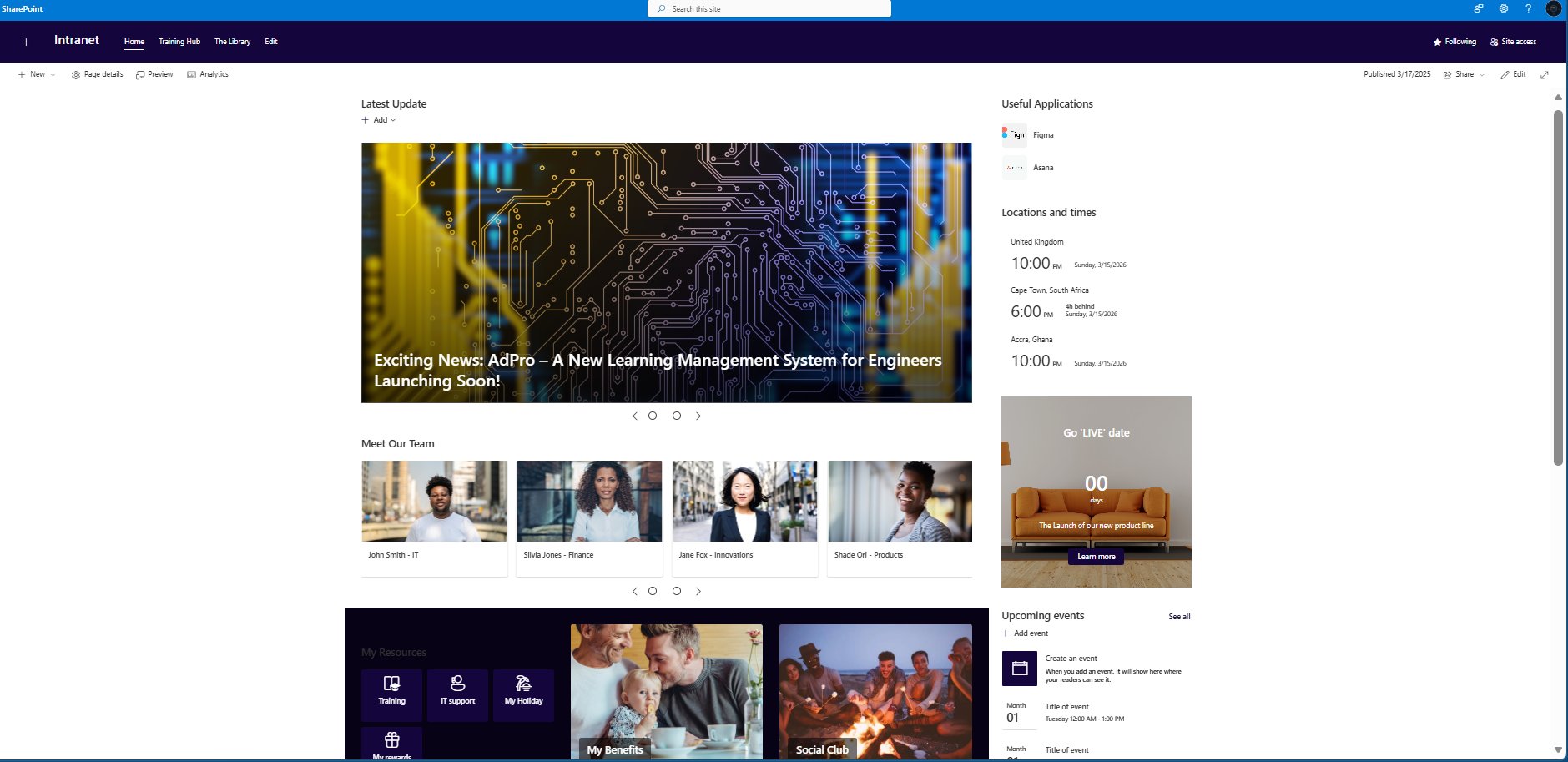
News and announcements
A rolling news carousel on the home page keeps all staff up to date with company news, product launches and leadership messages, wherever they are based.
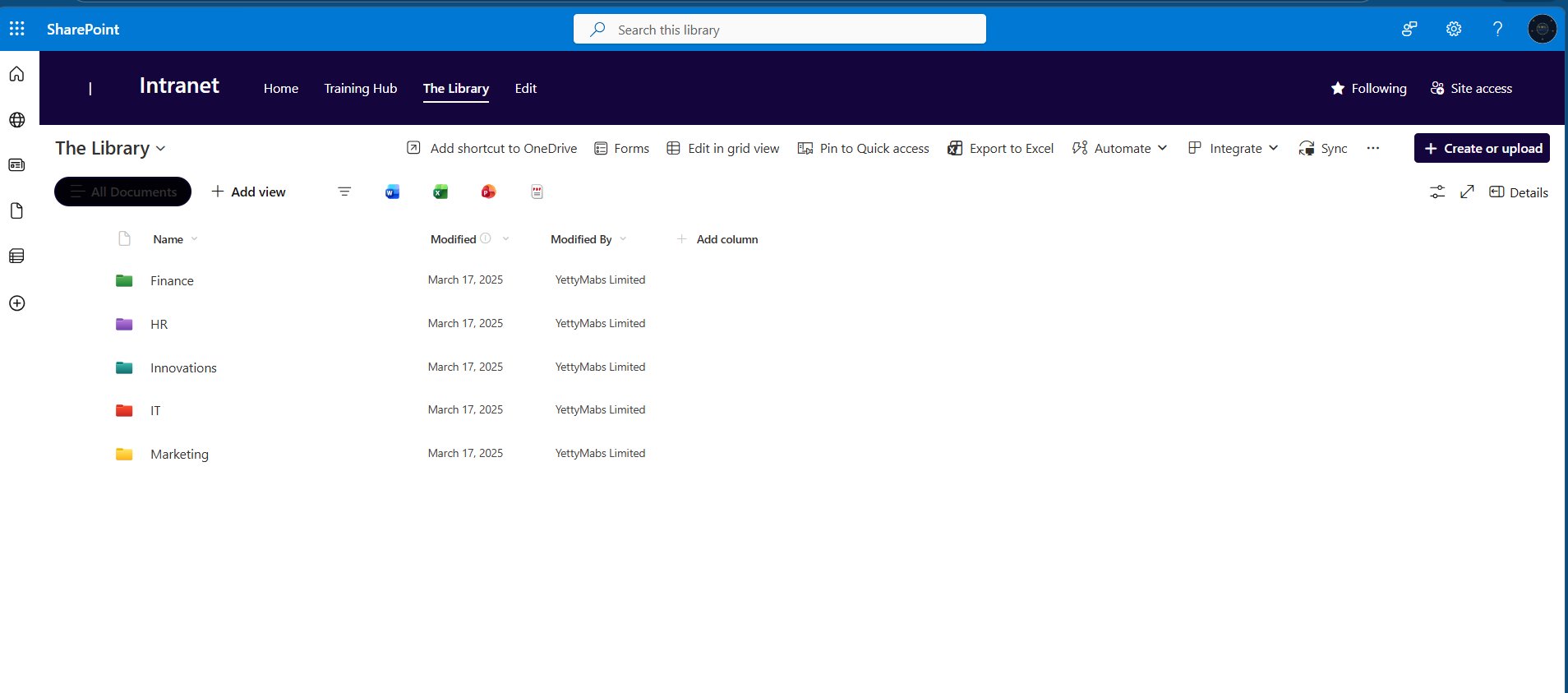
Document library
Departmental libraries for Finance, HR, IT, Marketing and Innovations replace scattered personal drives with a structured, permission-controlled filing system.
Staff directory
A visual directory with names, photos and departments, so staff across three countries know who to contact.
Events calendar
A shared calendar for company dates and events, with clocks showing local time in the UK, South Africa and Ghana.
Quick links
Everyday tools such as Figma and Asana are one click from the home page, cutting the time staff spend searching.
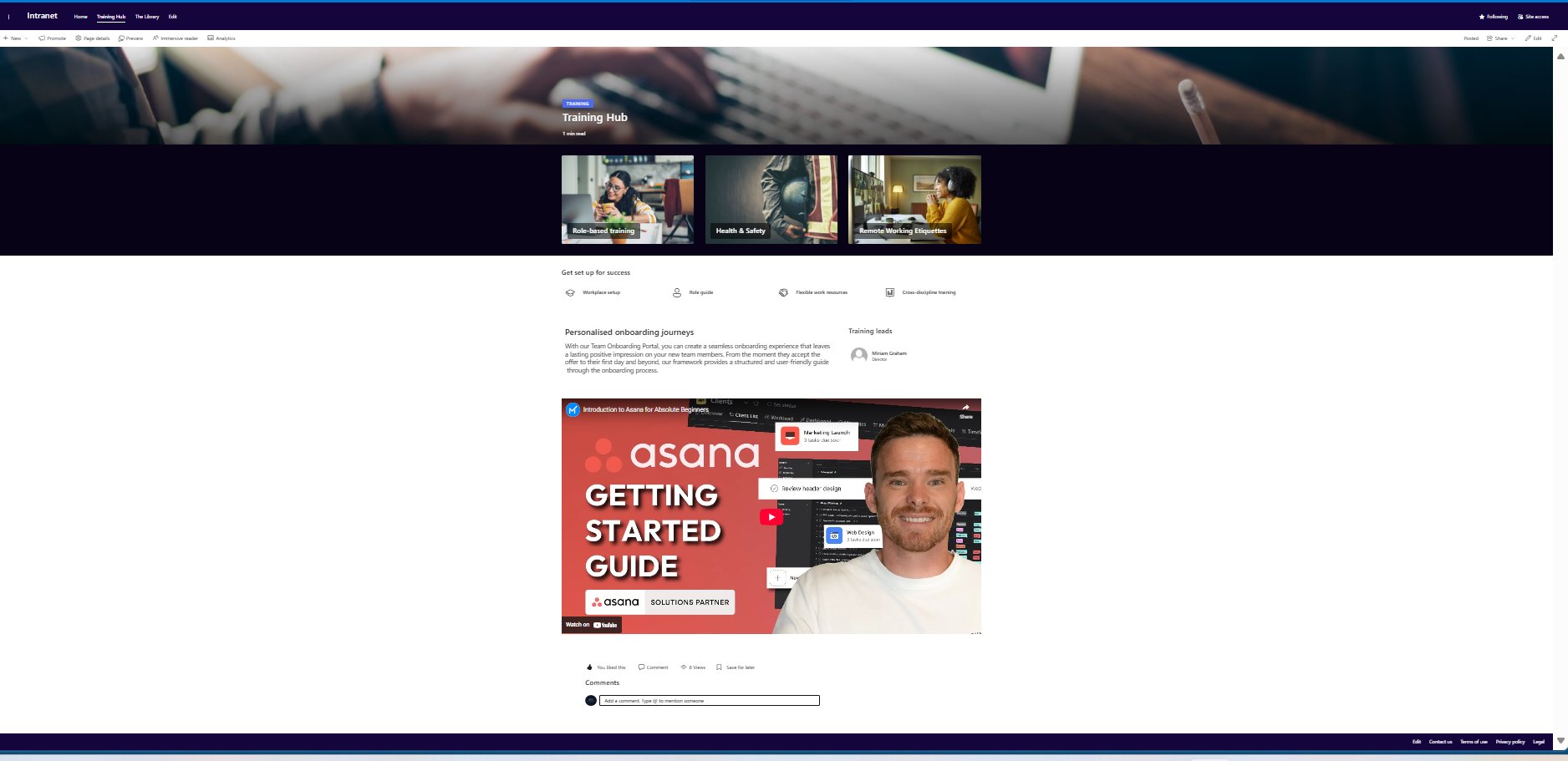
Training hub
Role-based learning paths, health and safety resources, remote working guidance and a clear onboarding route for new starters.
From discovery to go-live
Understanding the business first, building second.
- Discovery
Stakeholder interviews with teams in the UK, South Africa and Ghana. Requirements gathered for each department.
Output: Requirements specification - Information architecture
Site structure, navigation and permissions designed.
Output: Structure document and wireframes - Build
All features built and configured in SharePoint within Microsoft 365.
Output: Working intranet - Content
Initial content added for every department, libraries structured and the staff directory populated.
Output: Launch-ready content - Training and handover
Admin training delivered, user guide produced and the site handed over with documentation.
Output: Admin guide and training session
Need an intranet for your organisation?
Whether you are starting from scratch or improving an existing SharePoint site, a free 30-minute call is the right first step.
Book a free discovery call